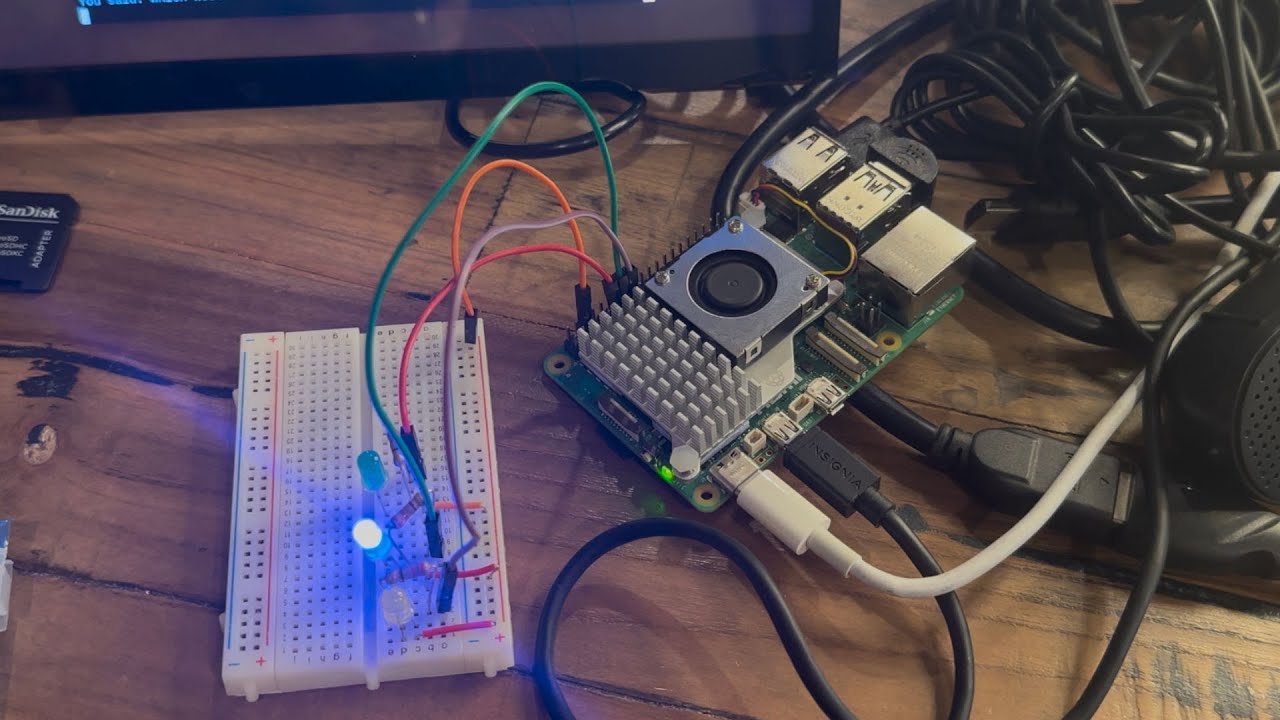
Certainly! Here’s a five-paragraph summary of the video “Actual Tech - LED Signal Lights on Ollama AI Powered Raspberry Pi” featuring Eli the Computer Guy:
In this episode, Eli demonstrates his ongoing AI project using a Raspberry Pi, a microphone, and the Granite LLM model. The setup allows him to speak into the computer, have his speech processed by the AI, and then receive an audio response. However, Eli points out a key challenge: the various processing loops take different amounts of time, making it unclear when the device is ready to listen or respond. To address this, he introduces a system of LED signal lights to visually indicate the device’s current state.
The LED system consists of three colors: green, blue, and yellow. When the device is ready to listen, the LED turns green. While it is processing a request, the LED turns blue. When the device is generating and delivering a response, the LED turns yellow. This simple visual feedback helps users know when to interact with the device, especially since speaking to it while it’s processing will not yield any results.
Eli demonstrates the system in action by asking the AI various questions, including humorous ones about woodchucks and Lewis Rossman. The LEDs change color according to the device’s state, providing clear, nonverbal cues about when the AI is ready for input or busy processing. Eli emphasizes the usefulness of this feature, especially for IoT devices that might not always have a visible screen for feedback.
He draws an analogy to human communication, noting that much of it is nonverbal. As someone on the autism spectrum, Eli explains that he has had to consciously learn to read these cues in people. Similarly, the LED system gives the AI device a way to communicate its status nonverbally, making it more intuitive for users to interact with the technology.
Finally, Eli discusses some technical aspects of the project, such as wiring the LEDs to the Raspberry Pi’s GPIO pins and handling software dependencies in Python virtual environments. He notes a common pitfall: modules like GPIO Zero are included in the Raspberry Pi OS but not automatically available in new virtual environments, requiring extra steps to copy them over. Eli wraps up by mentioning that this project is part of a class at Silicon Dojo and encourages viewers to check out their schedule or support free end-user education through donations.