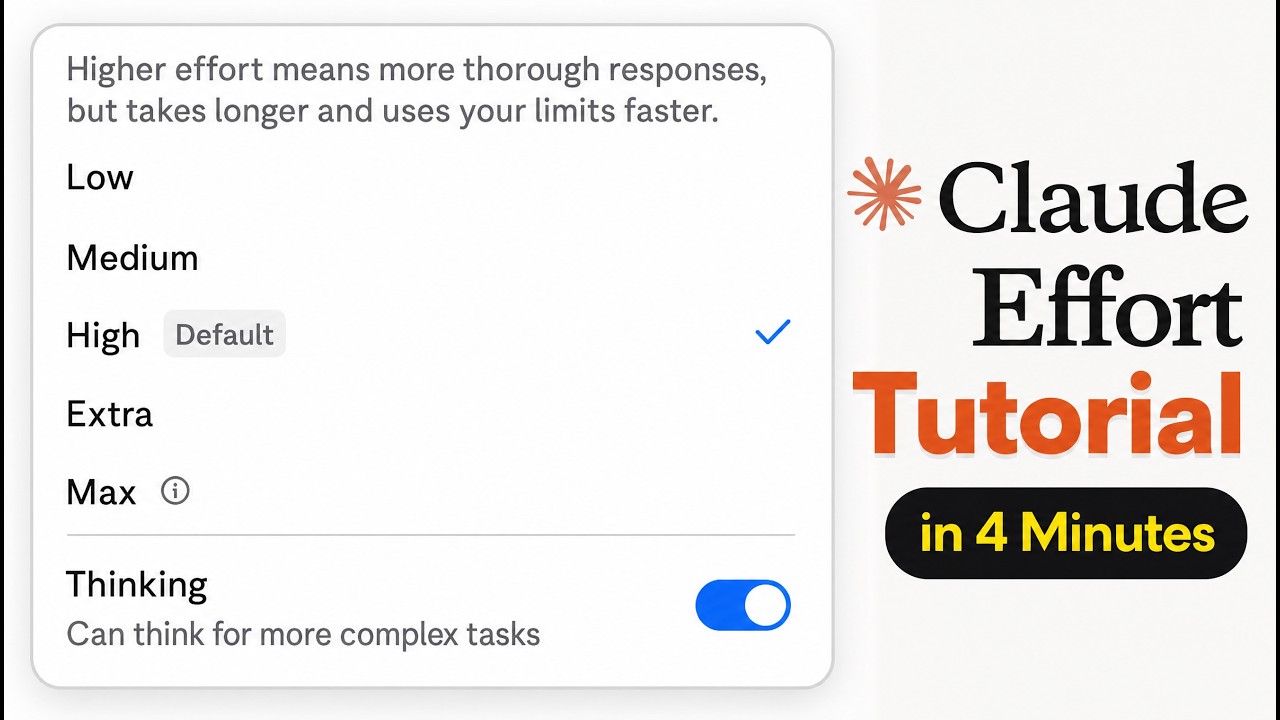
The video explains the different reasoning effort levels available in Claude and various AI models, highlighting how these options can be confusing for beginners. The speaker introduces the concept of reasoning levels, which determine how much computational effort the AI uses to process and respond to queries. Different models like Haiku 4.5, Sonic 4.6, and Opus 4.8 offer multiple effort settings, and users can also toggle a “thinking” mode that enables extended step-by-step reasoning before generating answers. This creates many possible combinations, making it important to understand when and how to use each model and effort level effectively.
Haiku 4.5 is described as the simplest and fastest model, ideal for casual, conversational tasks that do not require deep reasoning. It is the model used in voice applications and is best suited for surface-level interactions like chatting or simple questions. Sonic 4.6 is positioned as a middle-ground model for everyday tasks such as drafting emails or explaining basic concepts. It offers multiple effort levels from low to high, with the option to toggle thinking on or off. The default setting for Sonic is low effort without thinking, which balances speed and resource use for general knowledge tasks.
Opus 4.8 is the most powerful and capable model, recommended for complex, high-stakes work such as coding, math, or financial projects that require reliable and thorough reasoning. The default setting for Opus 4.8 is high effort with thinking enabled, providing a strong balance between performance and resource consumption. Users can increase the effort to extra or max levels, but these settings consume significantly more tokens, slow down response times, and quickly use up usage limits. The speaker cautions against using max effort regularly due to its high cost and longer processing times, advising it only for very ambitious, multi-step workflows.
The video emphasizes the importance of choosing the right model and effort level based on the task complexity and resource constraints. Beginners might be tempted to always use the highest effort settings on the most advanced model, but this is inefficient and costly. Instead, users should reserve the highest effort levels for tasks that truly require deep reasoning and rely on lower effort settings for simpler or routine tasks. The speaker also notes that Anthropic, the company behind Claude, has designed these options to give users control over reasoning but acknowledges that the current system can be confusing and hopes for improvements in the future.
In conclusion, the video provides a clear framework for understanding Claude’s reasoning levels: use Haiku 4.5 for quick, conversational tasks; Sonic 4.6 for everyday knowledge and business tasks with moderate effort; and Opus 4.8 for complex, high-stakes projects requiring advanced reasoning. The thinking toggle and effort levels allow users to balance speed, cost, and accuracy, but should be used thoughtfully to avoid excessive token consumption. The speaker encourages viewers to share their thoughts on the system and hopes Anthropic will simplify the user experience going forward.