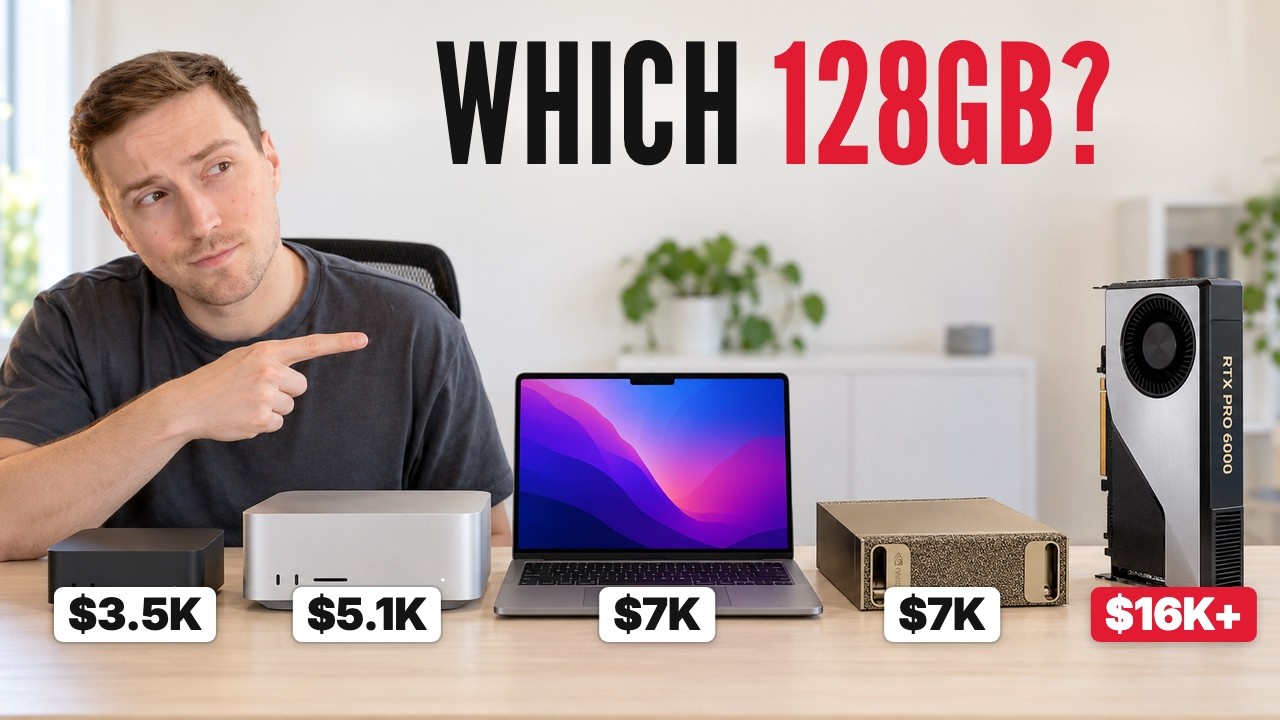
The video discusses the necessity of having 128GB of memory to run large AI models locally on a computer, especially for models like Qwen 3.8 Flash-Next, which require substantial RAM for optimal performance. It highlights the dramatic increase in memory prices, with 64GB DDR5 kits rising from $210 to about $1,400 within a year. The presenter explains that while many machines may have 128GB of RAM on paper, their real-world performance varies significantly due to differences in memory speed, architecture, and software optimizations. The video uses the Qwen 3.8 Flash-Next model as a benchmark to compare speeds and capabilities across different hardware setups.
The video emphasizes the importance of memory bandwidth and computing power in determining AI model performance. Writing speed (tokens per second) depends heavily on memory bandwidth, while reading speed (time to start processing input) depends on the chip’s computing power. For example, the MacBook Pro M5 Max with 128GB RAM can write at about 70 tokens per second and read a 50-page document in under 15 seconds, whereas cheaper machines with slower memory bandwidth perform much worse. The presenter also explains the concept of mixture of experts models, which only load parts of the model into memory, enabling faster processing compared to dense models.
Several hardware options for achieving 128GB of memory are reviewed, ranging from upgrading a gaming PC with additional RAM and GPUs, to buying mini PCs like the Strix Halo, used Mac Studios with M4 Max or M1 Ultra chips, and high-end setups like the Mac Studio M5 Ultra or NVIDIA DGX Spark. The cheapest options involve adding RAM to existing PCs and using software like Strata to optimize model loading, while mid-range options include used Mac Studios that offer better speed and ease of use. High-end options, costing upwards of $9,000, provide extremely fast memory bandwidth and processing speeds but are generally overkill for most users.
The video also compares the pros and cons of different platforms, noting that Macs tend to offer better memory bandwidth and faster reading speeds for AI tasks, while NVIDIA-based systems excel in CUDA support and are preferred for image, video, and training workloads. The presenter advises against buying certain expensive setups like the DGX Spark for general chat-based AI use, recommending instead Mac Studio M5 Max or similar machines for balanced performance and cost. For those needing extreme speed and large context windows, the RTX PRO 6000 GPU with 128GB RAM is the fastest but also the most expensive option.
In conclusion, the presenter provides clear recommendations based on budget: under $1,000, add RAM to a gaming PC and use smaller models; around $3,500, buy a used Mac Studio M4 Max or a Strix Halo mini PC; about $5,000, the Mac Studio M5 Max is the best buy; $7,000 is better spent on a MacBook Pro M5 Max rather than DGX Spark; and for $10,000+, the Mac Studio M5 Ultra or RTX PRO 6000 offer top-tier performance. The video encourages viewers to consider their specific AI use cases, such as document reading or agentic tasks, when choosing hardware and invites them to check out a detailed guide on running local AI on Macs.
Useful Links