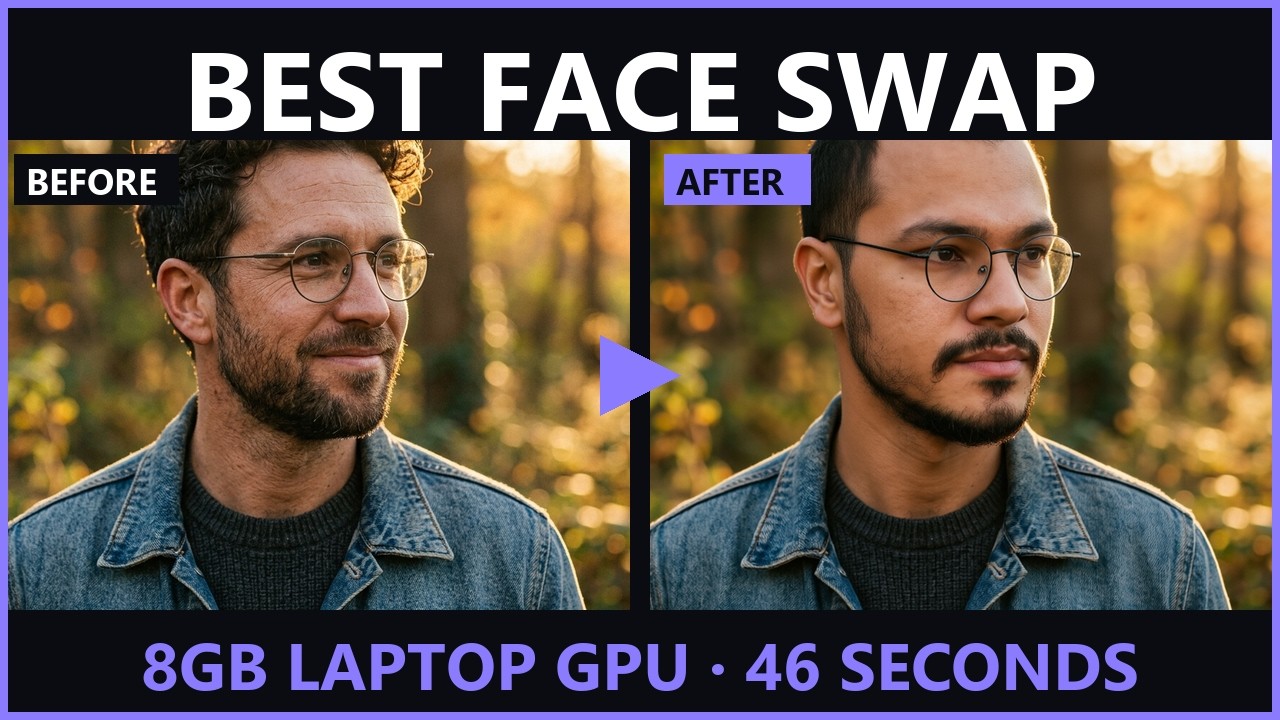
In this video, the creator demonstrates how to perform a face swap using their own face on a photo, running the process on a laptop equipped with an 8 GB GPU. The face swap utilizes BFS (Best Face Swap), a set of Loras developed by Alice on Hugging Face, compatible with several models including Qwen Image 2.1, which serves as the base model. Qwen Image 2.1 is a 7 billion parameter image model capable of editing with up to 10 reference images. The BFS Lora is licensed under MIT, while the Qwen model has its own research license, which viewers are advised to check.
The setup involves placing the Loras, diffusion model, text encoder, and VAE files into their respective folders. The creator had to install PyTorch in a fresh environment to get Comfy UI working properly. The workflow includes loading the diffusion model, applying the BFS Lora at full strength, and using an eight-step pruner Lora. The text encoder is loaded with a prompt instructing the model to swap the head from one image while preserving lighting, background, eye direction, and expression from the target image.
Performance-wise, the face swap takes about 46 seconds per image on the laptop without running out of memory. The results are generally good, with the swapped faces maintaining key features like glasses, head turns, and expressions. However, hair boundaries remain a challenge, often causing the original hair from the target image to persist, which can lead to unnatural blends. Different versions of the BFS Lora were tested, with version 1.1 producing cleaner skin and the alternative version slightly altering gaze.
The creator experimented with different settings, finding that 25 steps without pruning doubled the processing time without noticeable quality improvement. Increasing the resolution to 448 pixels significantly increased processing time to 260 seconds and caused some loss of detail, such as the disappearance of glasses. The optimal balance on their setup was 124 resolution with eight steps. The author also emphasizes ethical considerations, advising against using this technology on public figures or individuals without consent, and recommends using only one’s own face or AI-generated people.
In summary, the video showcases a practical and efficient method for face swapping on a modest 8 GB GPU laptop using BFS with Qwen Image 2.1. The process is relatively fast and produces good results, especially in preserving lighting and facial expressions, though hair blending remains imperfect. The licensing terms and ethical guidelines are highlighted, and viewers are encouraged to try the method themselves and share their experiences.
Useful Links