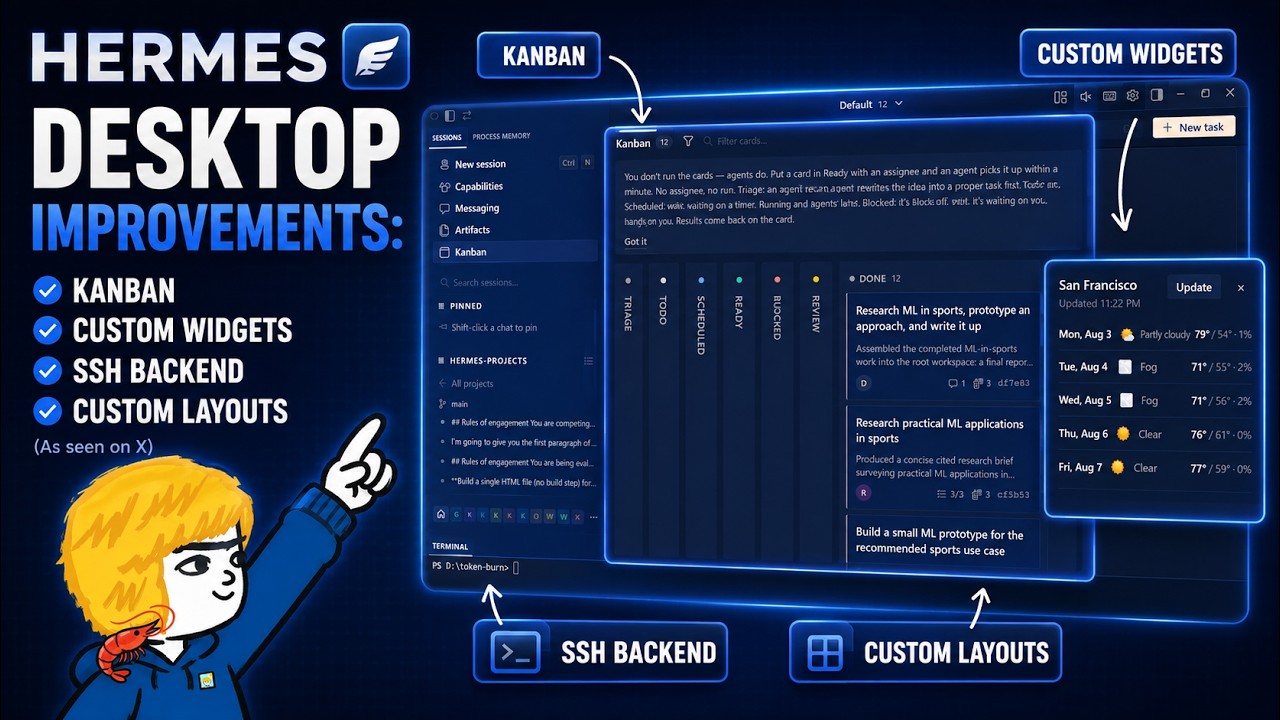
The video showcases significant enhancements to the Hermes Agent desktop app, including improved performance, SSH connectivity to remote devices, flexible multi-session UI customization, and a new plug-in SDK for creating custom widgets. It also highlights the launch of the Combon board plug-in, which integrates workflow management features from the web dashboard, enabling users to personalize and streamline their workspace effectively.
The video highlights significant improvements made by Noose Research to the Hermes Agent desktop app, focusing on enhanced performance and user experience. Initially, the app had some lag and performance issues during its beta phase, but recent updates have made it much smoother and more reliable. The presenter primarily uses the desktop app when working with Hermes agents on a PC and appreciates the new customization options that allow users to tailor the workspace to their specific workflows.
One notable feature discussed is the ability to connect the Hermes desktop app to remote devices via SSH, similar to how VS Code’s remote SSH extension works. This allows users to access files, images, and other resources on external devices like the DGx Spark directly within the desktop app, streamlining workflows without needing to switch between multiple tools. The setup is straightforward, requiring only a few clicks in the settings, and supports full functionality as if the agent were running locally.
The video also explores the app’s flexible UI customization options, including multi-session and multi-tab support. Users can organize their workspace by splitting panes, moving sessions between tabs or panes, and resizing or closing them as needed. This flexibility is especially useful for those managing multiple sessions simultaneously, enabling a more efficient and personalized working environment. Additionally, the presenter demonstrates how sessions can be embedded within each other for quick context switching and reference.
A major highlight is the introduction of the Hermes desktop plug-in SDK, which allows users to create custom widgets within the app. The presenter showcases examples such as a system memory monitor and a floating widget displaying live baseball scores with manual update controls. These widgets can be moved and arranged freely within the app, replacing the need for external tools like Task Manager and providing real-time, customizable information directly in the workspace.
Finally, the video covers the launch of the first official Hermes desktop plug-in, the Combon board, which integrates the popular Conbon workflow from the web dashboard into the desktop app. The presenter demonstrates using the Conbon board to manage a knowledge base creation pipeline, showing task triage, delegation to specialized profiles, and progress tracking. The clean interface and new features like token cost estimation enhance productivity. Overall, the video emphasizes how these updates and plugins empower users to fully customize and optimize their Hermes Agent desktop experience.