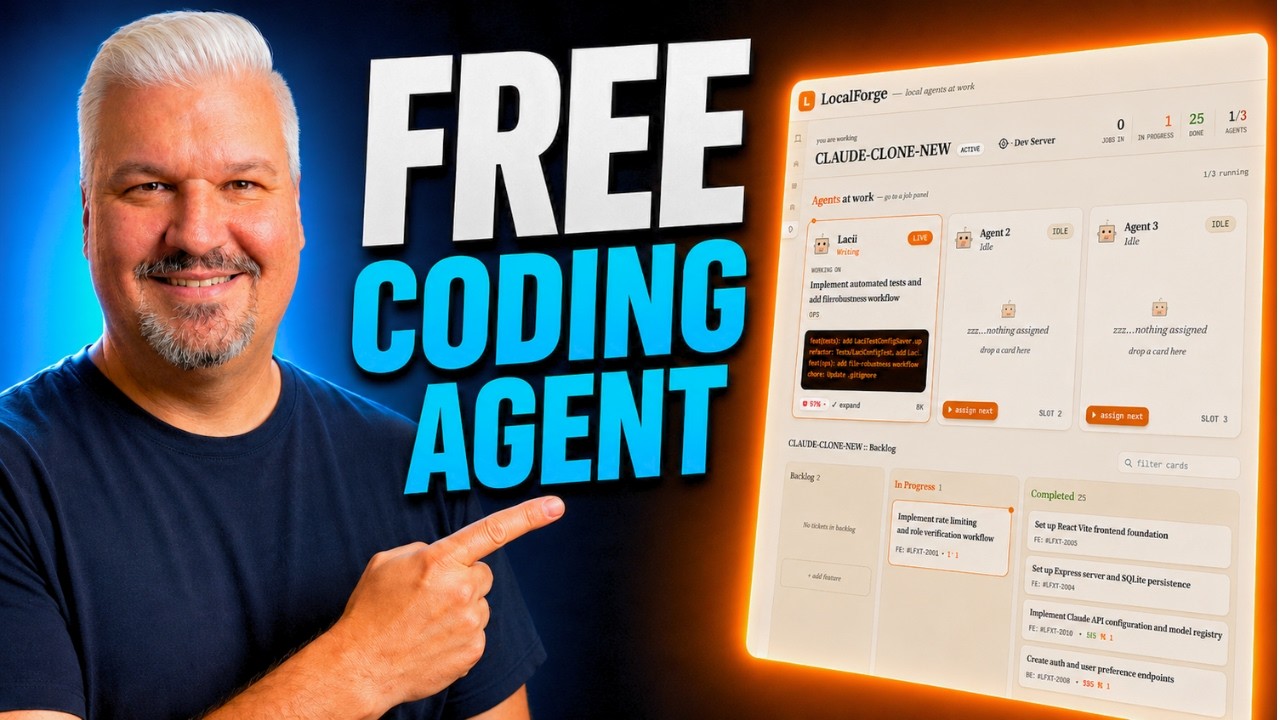
The video introduces an autonomous coding agent built using free, open-source models that run locally, enabling users to describe the app they want to build, have the agent plan features, add them to a Kanban board, and implement them on autopilot. The agent currently runs on Alum Studio and supports Olamma, allowing the creation of various applications, such as a retro to-do app or a Claude Code clone. The presenter highlights that just months ago, such functionality required expensive paid frontier models, but now free models can achieve similar results, including streaming outputs and automated end-to-end testing with browser screenshots.
The presenter explains how to download and run these models locally, recommending Queen 3.6 or JML4 (with the 31 billion parameter version for tool calling). They demonstrate installing models via llama or Alum Studio, noting that Alum Studio tends to perform better on GPUs. Users are advised to increase the context window length to at least 64,000 tokens to accommodate coding tasks. After setting up the model, the open-source Local Forge project can be installed, which orchestrates the coding agent workflow, including task management, model selection, and browser-based testing using Playwright.
Local Forge allows users to create projects either from scratch or by describing them to the AI, which then generates detailed feature lists and acceptance criteria. The agent manages task prioritization, dependencies, and runs coding agents to implement features sequentially or concurrently, depending on hardware capabilities. The presenter demonstrates how the agent can brainstorm app architecture and features interactively, supporting multi-user authentication, rich text editing, and other complex functionalities. Users can also manually add or adjust features as needed.
While free models are impressive at coding, the presenter cautions that detailed feature descriptions improve output quality. To enhance planning, they suggest using a more powerful paid model (like Claude) solely for feature planning, while the free models handle implementation. This hybrid approach leverages the strengths of both model types. The presenter also promotes their coding agent masterclass, which offers in-depth training and community support for building real-world applications with coding agents.
In conclusion, the video showcases a fully open-source, cost-effective solution for autonomous app development using locally run AI models. It emphasizes the growing capabilities of free models, the flexibility of Local Forge, and practical setup instructions. The presenter invites viewers to share their favorite models, subscribe for more content, and join the community as the technology continues to evolve and democratize software development.