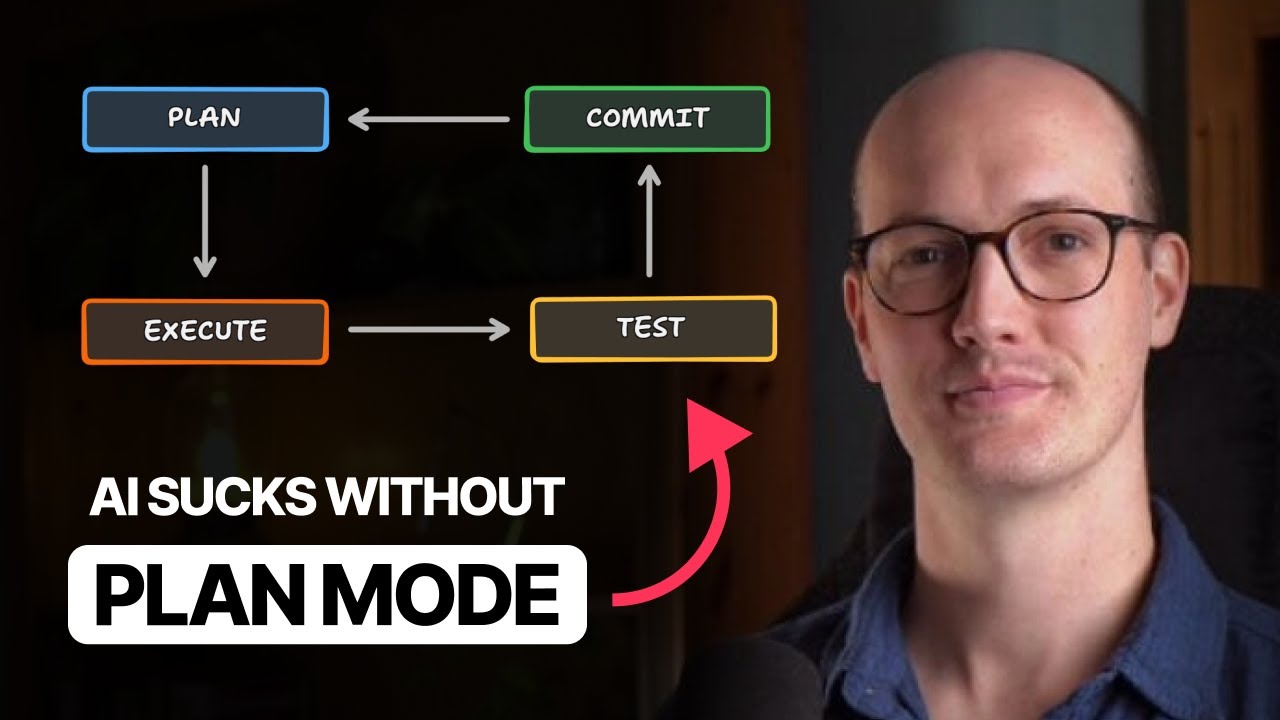
The speaker explains how their skepticism about AI coding tools changed after using “plan mode” in Claude Code, which requires the AI to thoroughly explore and plan before making code changes, resulting in more accurate and efficient development. They emphasize that this planning step benefits both the AI and the developer, especially in complex or unfamiliar projects, and recommend adopting it for better workflow and collaboration.
The speaker begins by describing their initial skepticism toward AI coding tools, doubting that AI could write code as well or as quickly as an experienced developer or understand a codebase deeply. This changed after trying “plan mode” in Claude Code, which fundamentally altered their workflow. Now, every coding task starts with planning in plan mode, followed by AI-assisted code execution, testing, and committing changes. The speaker emphasizes that skipping the planning step significantly hampers the effectiveness of AI coding tools.
Plan mode works by disabling the AI’s ability to write to the file system, forcing it to explore the codebase and gather all necessary information before making any changes. This exploration phase allows the AI to create a detailed plan, which is then executed in subsequent steps. The speaker notes that other tools, like Cursor and VS Code, have adopted similar features. The planning step is crucial because it loads the AI’s context with relevant information, reducing mistakes and ensuring the AI follows the codebase’s established patterns.
The planning process benefits not only the AI but also the developer. It helps clarify requirements and encourages iterative refinement, similar to the “rubber ducking” technique where developers talk through problems to find solutions. By discussing and refining the plan with the AI, both the developer and the AI gain a clearer understanding of the task. This leads to more accurate and efficient code generation, as the AI is less likely to misinterpret vague instructions.
The speaker illustrates the process with a real-world example involving a bug in their course video manager project. Using plan mode, the AI explored the codebase, identified issues, asked clarifying questions, and iteratively refined the plan before making changes. The plans are saved for future reference and can be shared in GitHub issues or pull requests for collaborative review. To make plans more manageable, the speaker recommends making them extremely concise and including a list of unresolved questions at the end, which streamlines the review process and ensures nothing important is overlooked.
Finally, the speaker addresses the common objection that experienced developers can make changes faster than AI using plan mode. While this may be true for familiar codebases and simple changes, plan mode excels in unfamiliar or complex projects by leveling the context between the developer and the AI. As AI tools become faster, relying solely on personal speed will become less advantageous. The speaker concludes that plan mode is indispensable for effective AI-assisted coding and encourages others to adopt it, offering additional resources for those interested in optimizing their workflow.