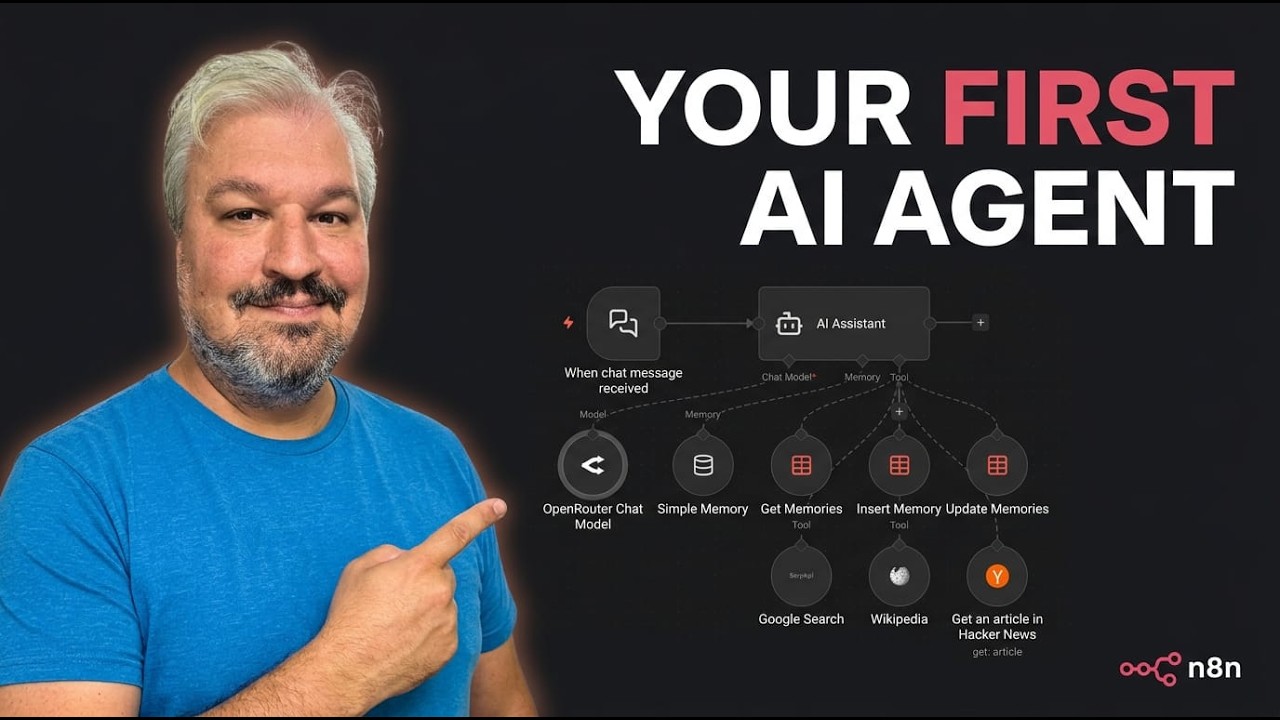
The video introduces viewers to building a simple yet powerful AI agent using N8N, a free and open-source workflow automation platform. The creator emphasizes that beginners often overcomplicate their first AI projects and demonstrates how to create a personal AI assistant that can remember user preferences and perform web research. No prior coding or N8N experience is required, making the tutorial accessible to everyone. The assistant is designed to have both conversational (short-term) and persistent (long-term) memory, allowing it to recall information even across different sessions.
To get started, the video explains three ways to access N8N: installing it locally via npm (free), using N8N’s paid cloud service, or self-hosting on a virtual private server (with Hostinger as a recommended affordable option). Once N8N is set up, the workflow begins with a trigger node, specifically an “on chat message” trigger for chatbot functionality. The AI agent node is then added and connected to a chat model, with OpenRouter and Anthropic’s Claude Sonnet 4.6 model used as an example. The video walks through setting up API credentials and testing the basic chat functionality.
The tutorial then focuses on giving the AI assistant a personality and memory. By customizing the system message, the assistant is named “Luna” and given a warm, casual tone. Short-term memory is implemented by configuring the agent to remember the last 20 messages in a conversation. However, to enable long-term memory, the video demonstrates creating a “Memories” data table within N8N, allowing the agent to store and retrieve user preferences across sessions. Tools are added to let the agent get, insert, and update memories in this table, making it capable of learning and adapting over time.
To enhance the assistant’s usefulness, the video shows how to give it access to web research tools. By integrating SERP API for Google search, Wikipedia, and Hacker News, the agent can fetch up-to-date information and answer research queries. The workflow is organized visually with sticky notes for clarity. The assistant is tested by asking for the latest news on OpenClaw, demonstrating its ability to search the web and provide relevant responses.
Finally, the video explains how to make the chatbot publicly accessible by enabling hosted chat mode and setting up authentication. Additional features, such as file uploads, are enabled, allowing users to ask the assistant to describe images. The video concludes by inviting viewers to join the creator’s online community for further learning and support, and encourages them to watch related content for more AI-building tutorials.