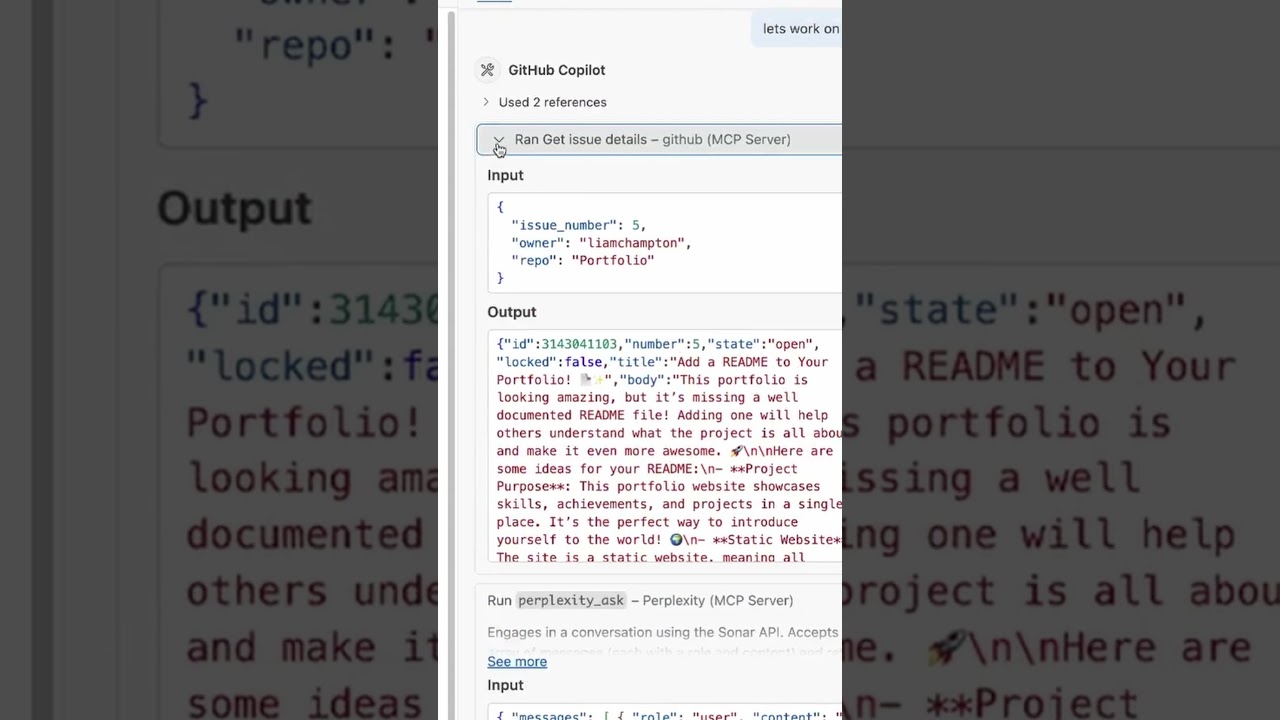
The video demonstrates how GitHub Copilot’s agent mode, enabled by an MCP server in Visual Studio Code, leverages repository context such as open issues to generate relevant content automatically. By integrating data from the MCP server and external knowledge sources like Perplexity, Copilot produces a high-quality README file tailored to the specific issue, showcasing enhanced, context-aware code generation.
In this video, the presenter demonstrates how to work with MCP servers in GitHub Copilot’s agent mode within Visual Studio Code. They start by showing a repository with an open issue, specifically issue number five, which requests the addition of a README file. This sets the stage for using Copilot to automatically generate the README based on the issue’s context.
The presenter explains that they have installed the GitHub MCP server, which is essential for enabling Copilot to operate in agent mode. This mode allows Copilot to pull in additional context from the repository, such as open issues, by calling the MCP server API. This extra context helps Copilot better understand the task at hand and generate more relevant content.
Next, the presenter instructs Copilot to work on issue five. Copilot then calls the MCP server API, retrieves the issue details, and uses this information to inform its code generation process. This step highlights how agent mode enhances Copilot’s capabilities by integrating external data sources to provide richer context.
As the process continues, Copilot queries an external knowledge source, Perplexity, to gather best practices related to the task. It combines this information with the context from the MCP server to produce a more comprehensive and high-quality README file. The presenter clicks through the steps, showing how Copilot iteratively refines its output using these multiple inputs.
Finally, the presenter opens the generated README preview and expresses satisfaction with the result, noting that it looks significantly better than what they had before. This showcases the power of GitHub Copilot’s agent mode when paired with MCP servers, enabling more intelligent and context-aware code generation directly within Visual Studio Code.