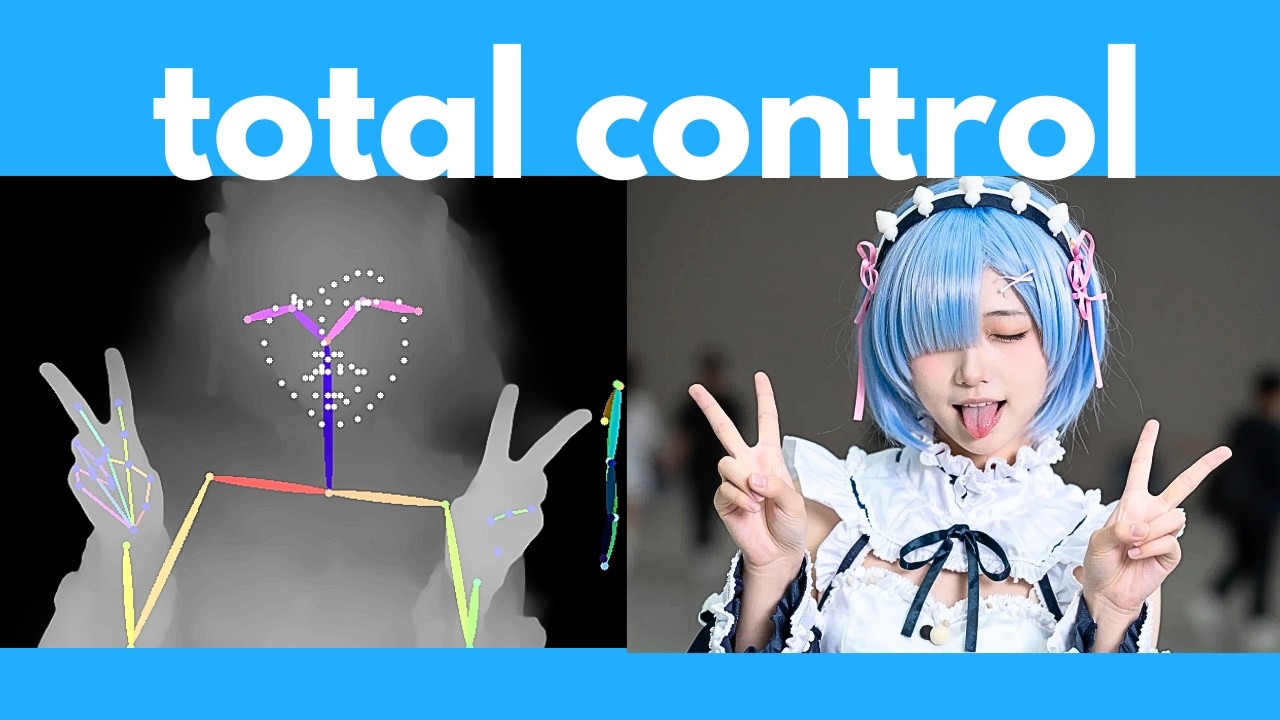
The video introduces Zimage, a powerful open-source image generator, highlighting its advanced capabilities beyond simple text-to-image generation. The presenter begins by demonstrating how to use ControlNet with Zimage to control image composition and character poses using reference images. By downloading specific workflows and models, users can apply edge detection, pose estimation, or depth mapping to guide the AI in generating images that closely follow the structure or pose of the reference. The tutorial walks through setting up these workflows in ComfyUI, explaining how to adjust parameters like influence percentage and step count to fine-tune the results.
Next, the video covers inpainting or editing existing images using the current Zimage Turbo model, even though a dedicated editing model (Zimage Edit) is yet to be released. The presenter shows a workaround involving loading an image, converting it to latent space, and using a mask editor to select areas for modification. By drawing over parts of the image and providing a new prompt, users can replace objects or elements within the photo. While this method is somewhat basic compared to specialized editors like Nano Banana, it offers a practical way to perform image edits with natural language prompts using the existing tools.
The tutorial then shifts focus to upscaling images to 4K resolution or higher. The first method described is a multipass workflow within Zimage itself, where a lower-resolution image is generated first and then passed through a second generation step at a higher resolution. This approach helps retain details better than generating a large image in a single pass. The presenter explains how to set up this workflow in ComfyUI, including converting images to latent space and adjusting denoising parameters to balance detail retention and enhancement. Comparisons show that the two-pass method produces sharper and more detailed images than one-pass high-resolution generation.
For even higher quality upscaling, the video introduces a powerful external upscaler called SeedVR 2, which requires downloading a large model but significantly improves image detail and sharpness. The presenter demonstrates how to use a dedicated SeedVR 2 workflow in ComfyUI to upscale images generated by Zimage. Additionally, they show how to integrate this upscaler directly into the Zimage workflow for seamless generation and upscaling in one process. The results showcase impressive improvements in facial features, hair, and textures, making this method ideal for producing detailed 4K images.
In conclusion, the video provides a comprehensive guide to advanced Zimage features, including ControlNet for composition control, inpainting for image editing, and two effective methods for high-resolution upscaling. The presenter encourages viewers to experiment with these workflows and offers support for troubleshooting. They also mention a free weekly newsletter for staying updated on AI developments. Overall, the tutorial equips users with practical techniques to maximize the potential of Zimage for creating detailed and customized AI-generated images.